Garage management software for modern workshops
Repair orders, inventory, invoicing, customer history, due collection, and Android tools—connected in one platform for Bangladesh garages.
The daily problem
Busy workshops need one clear record of the work.
When repairs, parts, invoices, and due payments live in different places, the owner carries the whole business in their head.
Job cards and customer details are scattered across notebooks and messages.
Parts, invoices, and due payments are easy to miss when the garage gets busy.
A vehicle returns, but its service history is not ready when the customer asks.
Daily flow
From vehicle arrival to paid delivery
One clean operating flow keeps reception, mechanics, billing, and collection aligned from the first job card to final payment.
Check in
Create the vehicle job card, assign work, and keep customer details in one place.
Repair
Mechanics update active work, parts, labor, and notes from the workshop floor.
Bill
Move finished jobs into invoice and payment without losing the service history.
Collect
Track paid, due, and completed delivery so owners see the real business picture.
One workshop workspace
Everything your team needs from check-in to collection
Start with the workflow you use every day, then connect the records that help your garage grow.
Repair Orders
Create job cards, assign work, and keep every repair status visible.
Explore featureInventory
Track parts, stock attention, and job-linked usage before costs disappear.
Explore featureInvoicing
Move completed work into clear invoices and payment follow-up.
Explore featureDue Collection
See what is paid, what is due, and what needs owner attention.
Explore featureCustomer Records
Keep customer details connected to every vehicle and visit.
Explore featureVehicle History
Build a useful service record that makes the next visit easier.
Explore featureReports
Understand jobs, revenue, collections, and workshop activity.
Explore featureAndroid App
Let the workshop team update active work from the garage floor.
Explore featureMain web app
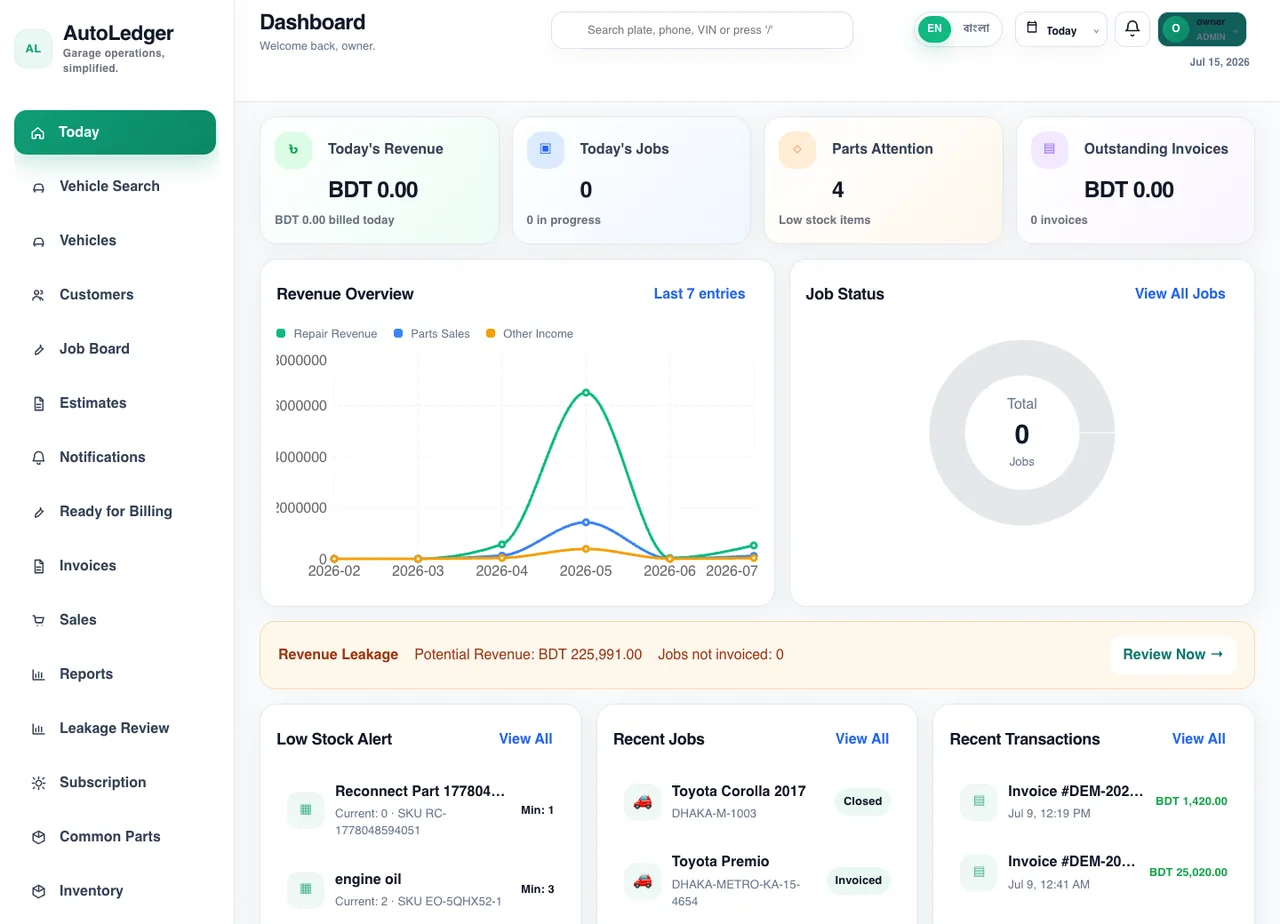
A calm command center for owners and reception
The desktop experience is the place to review the day, search records, manage billing, and see how the garage is performing.
Owner dashboard with revenue, jobs, low stock, leakage, and recent transactions.
Fast sidebar access to vehicles, customers, job board, invoices, sales, and reports.
Search by plate, phone, or VIN from the dashboard header.
Android workshop app
Phone screens shaped for the workshop floor
Staff can search vehicles, update active work, add parts, and check due payments from the phone while the web dashboard stays current.
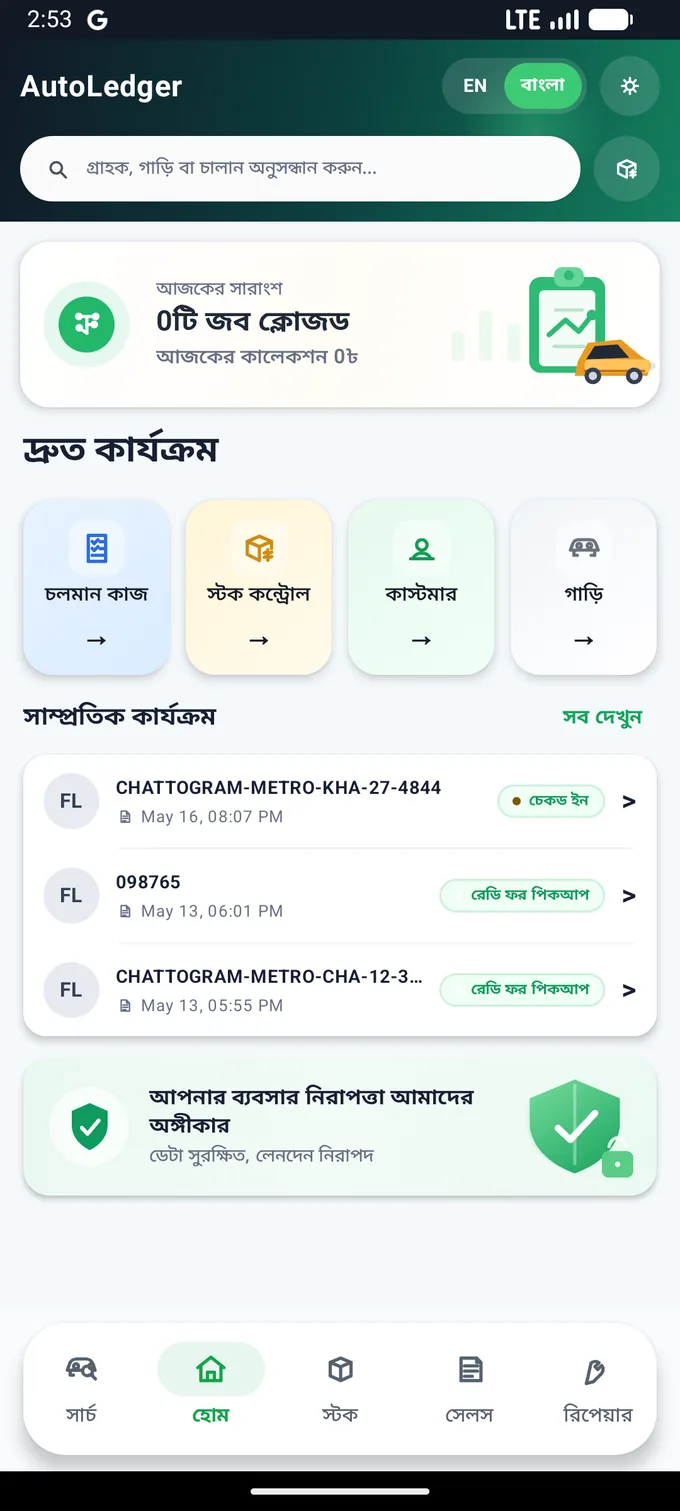
Garage control center
Fast one-hand access to active work, vehicles, stock, due, and reports.
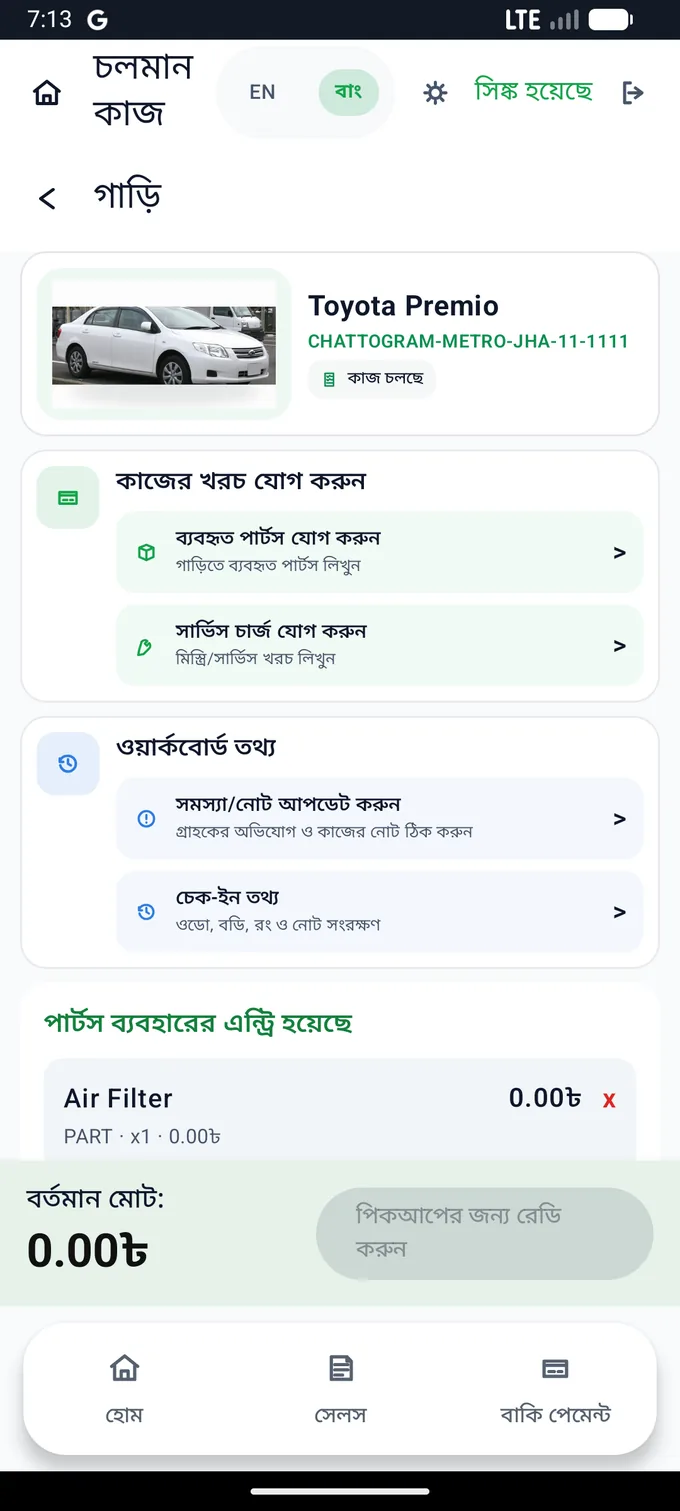
Active work
Mechanics see the vehicle, customer, job items, parts, and service charges together.
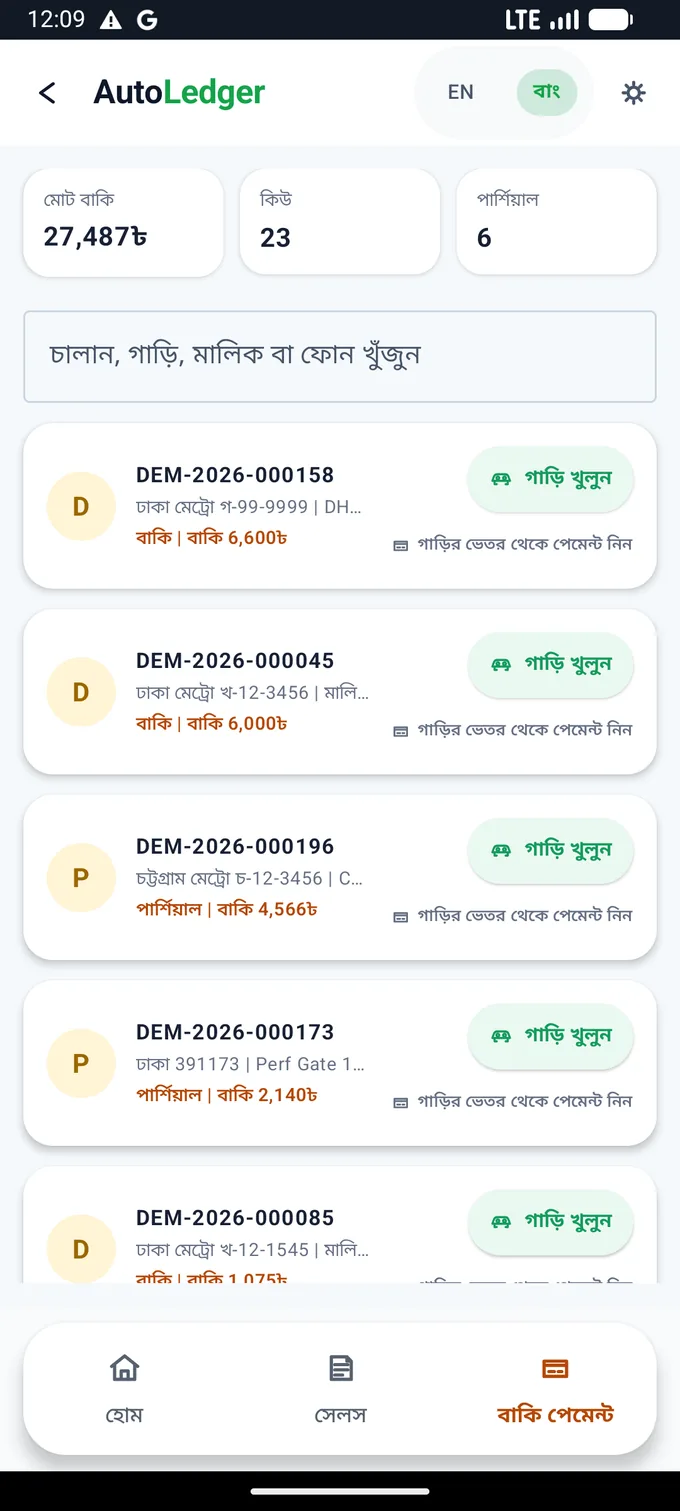
Due payment
Collections stay visible after billing so missed payments do not disappear.
Built for real teams
A practical system for the way workshops actually work
Whether you run the front desk, manage technicians, or own the garage, AutoLedger keeps the next action visible.
Pricing
Start with the plan that fits your garage
Keep pricing simple for launch, with a clear upgrade path as the workshop grows.
Basic
For smaller garages moving away from paper and scattered messages.
Professional
For busy workshops that need web plus Android day-to-day control.
Enterprise
For larger service centers with broader staff and reporting needs.
Common questions
A clearer start for your workshop
Here are the questions garage owners usually ask before moving their daily workflow into one system.
What is AutoLedger?
AutoLedger is garage management software for repair orders, inventory, invoices, payments, customers, vehicles, and workshop reporting.
Can a small garage use AutoLedger?
Yes. Start with the daily records your team needs and expand into inventory, billing, reports, and staff workflows as the workshop grows.
Does AutoLedger have an Android app?
Yes. The Android app helps staff search vehicles, update active work, add parts, and check due payments from the workshop floor.
Can I try AutoLedger before subscribing?
Start by creating a workspace or contact us for a guided walkthrough of your real garage workflow.
Does it support customer and vehicle history?
Yes. Customer, vehicle, repair, invoice, payment, and follow-up context stay connected in one workspace.
How do I get setup help?
Use WhatsApp to request help with workspace setup, Android installation, or your first garage workflow.
Ready to review
See AutoLedger with your real garage flow
Review the web dashboard, Android workflow, billing path, stock alerts, and payment tracking in one quick walkthrough.